
Wendy’s
Wendy's Int'l., LLCFood & Drink
4.767.89K Reviews
- Version
- 11.63.1
- Installs
- 10.00M
- Age Rating
- Everyone
Screenshots
Our Review of Wendy’s
 Analysis by Appyee
When a food-ordering app saves me time, the benefit is usually small but immediate: I can decide what I want before I reach the counter instead of making the choice in a hurry. That is the practical appeal of Wendy’s. It brings ordering, rewards, and offers together for people who already visit the chain, though it is most useful when the nearby restaurant and the way you like to order fit what the app can handle.
Where the experience can snag
The main friction with a restaurant app is often not choosing a burger; it is getting from a tempting menu to an order that matches the real-world plan. A preferred location may not be the one you need today, a saved routine may not suit everyone in your group, or an offer may not apply to the exact order you had in mind. I treat the app as a convenient way to prepare and review a Wendy’s order, not as a reason to assume every visit will be identical.
That distinction matters if you are ordering for several people. A quick solo lunch is easy to plan around familiar choices, while a group order means checking each item, customization, and offer before proceeding. I would take a moment to review the full order rather than rely on memory, especially when changing locations or adjusting a regular meal. That little pause is more useful than rushing through screens and discovering a mismatch at the end.
It also helps to decide what you need before opening the menu. If you want a specific meal, go straight to it; if you are browsing, give yourself room to compare options without treating a highlighted offer as the only good choice. The app is built around Wendy’s, so it cannot replace the wider selection of a restaurant-discovery or delivery service. Its strength is helping an existing customer organize a Wendy’s visit, not helping someone choose among every place nearby.
Getting ready before the first order
Wendy’s is a free Food & Drink app from Wendy’s Int'l., LLC. It is rated for Everyone, has a 4.7 average from around 606,000 ratings, and has passed 10 million installs. It first appeared on Jun 29, 2012; version 11.41.0 requires Android 9 or later. Those details make it a well-established option for Android users with a compatible device, while iPhone owners should check the requirements shown for their own device before installing.
For a smoother first session, I would check the basics before building an order: make sure the app has finished installing, confirm the phone has a usable internet connection, and select the location that matches where you actually plan to go. If something looks different from what you expected, checking the selected restaurant and reviewing the order again are sensible first steps. A location choice is not just a convenience when you are driving across town; it affects whether the order you prepared makes sense for that stop.
Rewards are a reason to keep using the app, but I would treat them as a bonus rather than the whole point. The original article describes earning points on orders and redeeming them for menu items; the practical habit is to look over the rewards information in the app before placing an order, so you know what is available for your account. Offers can also influence what you choose, but comparing the offer with what you actually want helps avoid adding food simply because a deal caught your eye.
A routine that makes the app more useful
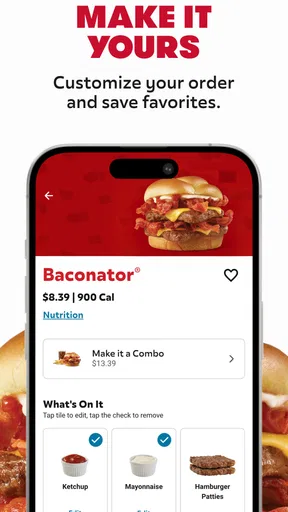
A realistic use case is a lunch break when I already know I want Wendy’s but have little time to decide at the restaurant. I can use the menu to settle on the meal, adjust it, and review the details before I head over. If it is a regular order, the article’s described saved-order option can cut down on repeated browsing. I would still check the selections each time: a shortcut is helpful, but it should not replace confirming that today’s order is right.
For someone who often chooses the same items, saving a favorite order is more than a novelty. It can reduce the number of decisions on a busy day and make a familiar order easier to find. The trade-off is that habits can hide small changes in what you want, so I would use a saved choice as a starting point rather than tapping through without checking. For a less predictable meal, browsing the menu first is the better workflow.
When I am on the road, the location finder can help identify a nearby Wendy’s, but I would choose the destination before spending time customizing a meal. That avoids preparing an order around the wrong stop. If I am traveling with other people, I would also agree on the location and the order plan first; otherwise, the convenience of one person browsing can turn into extra back-and-forth. This is a small planning step, but it makes the app feel more useful than simply opening it once hunger sets in.
Recovering when ordering does not go smoothly
If a screen stalls or an order does not appear to progress, I would start with low-risk checks rather than repeatedly tapping buttons. Confirm the connection, pause briefly, and look at the current order state before trying again. Repeating an action without checking can create uncertainty about whether the first attempt went through. If the issue remains, closing and reopening the app or checking for an available update are reasonable general troubleshooting steps, though they cannot resolve every problem.
For a mismatch between what you intended and what appears in the order, go back through the item details and location selection before proceeding. This is especially worthwhile after changing a customization or switching restaurants. Keep the final review as a deliberate checkpoint: it is the easiest moment to catch a missed adjustment or an order that no longer suits the plan. I would not assume that restarting the app will correct an incorrect selection; the order details themselves need checking.
Keeping the app current is sensible, but an update is not a guarantee that every moment will be friction-free. The original review found that a couple of minor bugs improved after an update, which is a useful reminder to install updates when available. If the app behaves normally elsewhere but one order or location causes trouble, checking the details of that specific attempt may be more helpful than treating the whole app as broken.
When another option makes more sense
Wendy’s is a focused choice, not a general-purpose food app. If you already know you want Wendy’s, its menu, saved-order convenience, rewards, and in-app offers make it more direct than opening a broad restaurant app and searching from scratch. If you are deciding between several chains, want to compare a wide range of nearby restaurants, or need a service centered on delivery options, a broader alternative may suit that task better. The trade-off is simple: Wendy’s keeps the experience tied to one restaurant brand.
It may also be less valuable if you rarely visit Wendy’s, prefer to decide entirely at the counter, or do not want to manage another account-based rewards routine. In those cases, the app’s ordering and loyalty benefits may not outweigh the extra step of installing and checking it. I would not download it expecting it to transform every fast-food stop; it is most convincing when Wendy’s is already part of your routine and you will actually use the ordering or rewards tools.
On the other hand, regular customers who like planning ahead have a clear reason to keep it. The app can bring a familiar menu and account rewards into one place, and exclusive offers may be useful when they match a meal you already wanted. My advice is to compare an offer with your normal choice, verify the selected location, and review the order before completing it. Those habits make the convenience real without turning a discount or shortcut into an automatic decision.
Diving into the Features
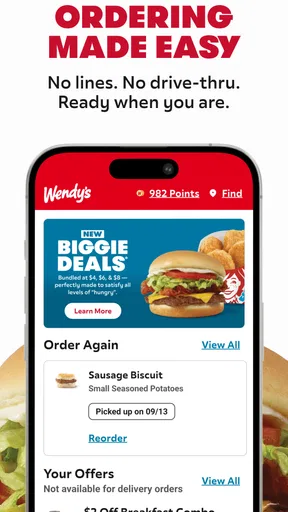
First off, the Wendy’s app is all about making your fast-food experience smoother and more rewarding. You’ve got a bunch of features that really cater to the modern fast-food lover. Mobile ordering is a breeze. You can customize your order just the way you like it, and if you’re anything like me, that means extra bacon on everything.
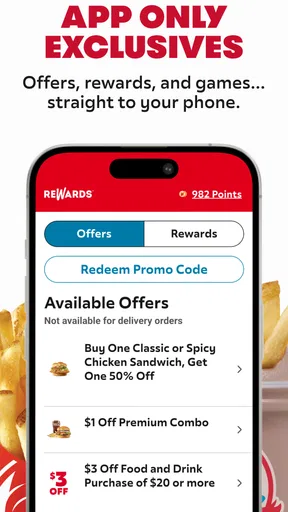
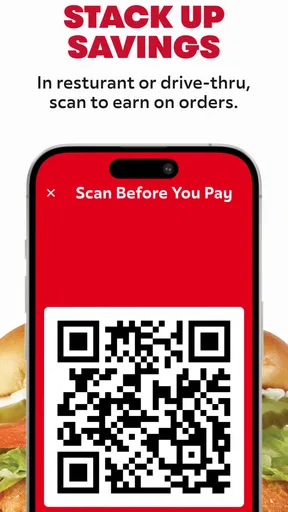
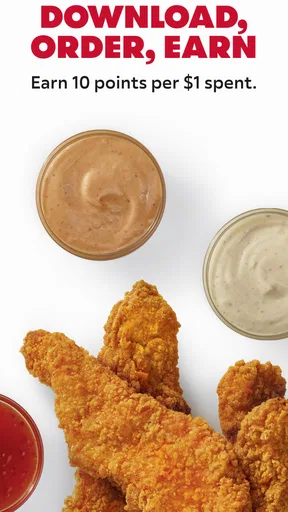
The app also offers a rewards program, which is a major win. Who doesn’t love free food, right? Every order gets you points that you can rack up and redeem for menu items. I’ve already got my eye on a Spicy Chicken Sandwich for my next freebie.
Navigation and User Experience
Navigating the app is super intuitive. The layout is clean and straightforward, so you won’t find yourself fumbling around trying to place an order. The menu is well-organized, and you can easily find what you’re craving. Plus, there’s a nifty feature that lets you save your favorite orders for quick access next time. It’s like they know I’m a creature of habit!
The location finder is another handy tool. It uses your GPS to locate the nearest Wendy’s, which is perfect when you’re on the road and in dire need of a burger fix. And let’s not forget the in-app exclusive offers. These little gems pop up frequently, giving you even more bang for your buck.
Performance and Reliability
I’ve got to say, the app runs pretty smoothly. I haven’t encountered any major glitches or crashes, which is always a plus. It loads quickly, and transactions are processed without a hitch. It’s reassuring when the technology just works, especially when there’s food involved.
One thing to keep in mind, though, is to ensure your app stays updated. I did notice a couple of minor bugs initially, but those were ironed out with the latest update. So, keep an eye on the updates to get the best experience.
Final Thoughts
All in all, the Wendy’s app is a solid download for any fast-food enthusiast. It’s packed with features that make ordering easier and more rewarding. The rewards program is a standout, and the app’s user-friendly design makes it a pleasure to use. It’s definitely one of those apps that earns its spot on my home screen.
If you’re already a fan of Wendy’s, this app is a no-brainer. And if you’re not, well, maybe those juicy rewards and convenient ordering will win you over. Happy munching!
Privacy and Permissions
See what permissions an app requests and how it handles your data.
- Location
- approximate location (network-based), precise location (GPS and network-based)
- Camera
- take pictures and videos
- Wi-Fi connection information
- view Wi-Fi connections
- Other
- view network connections, full network access, control Near Field Communication, run at startup, control vibration, prevent device from sleeping
Verdict
Strengths of Wendy’s
- User-friendly interface for easy navigation.
- Quick access to exclusive offers and deals.
- Customizable order options for personalized meals.
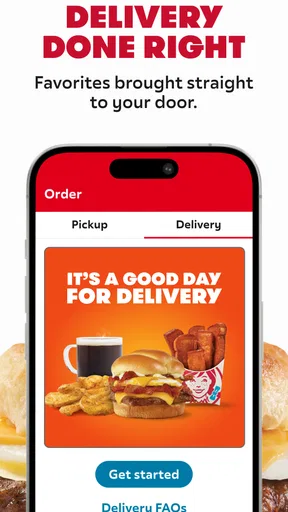
- Efficient mobile ordering for pickup or delivery.
- Loyalty rewards program enhances user engagement.
Limitations of Wendy’s
- Limited menu options compared to in-store.
- App crashes occasionally during peak times.
- Location services can be inaccurate.
- Some users report slow customer support.
- Requires frequent updates for optimal performance.
Similar Picks in This Category
View All
Rappi: Food Delivery, Grocery
Rappi, Inc - Delivery3.5

McDonald’s: Cupons e Delivery
Arcos Dorados4.3

Swiggy: Food Instamart Dineout
Swiggy4.7

Blinkit: Groceries & more
Blinkit4.8

foodpanda: food & groceries
Foodpanda GmbH a subsidiary of Delivery Hero SE4.0

Zomato: Food Delivery & Dining
Zomato4.7
Frequently Asked Questions
What features does the Wendy's app offer?
The Wendy's app provides a range of features to enhance your dining experience. Users can browse the menu, customize orders, and find nearby locations. Additionally, the app offers mobile ordering, exclusive deals, and rewards for frequent purchases, making it a convenient tool for Wendy’s fans.
How does the mobile ordering process work in the Wendy’s app?
Mobile ordering through the Wendy’s app is straightforward. After logging in, select your desired items from the menu, customize them if needed, and add them to your cart. Choose a nearby location for pickup, select your payment method, and submit the order for a quick and easy dining experience.
Are there any exclusive deals available on the Wendy's app?
Yes, the Wendy's app frequently offers exclusive deals and discounts that aren't available elsewhere. These may include special pricing on meals, limited-time offers, and rewards points for future purchases, giving users an incentive to utilize the app for their orders.
Can I customize my order through the Wendy's app?
Absolutely, the Wendy's app allows for full customization of your order. Users can modify ingredients, adjust portion sizes, and choose from a variety of add-ons, ensuring that every meal is tailored to individual preferences. This feature is especially useful for those with dietary restrictions.
Is the Wendy's app available for both Android and iOS devices?
Yes, the Wendy's app is available for download on both Android and iOS platforms. It can be found in the Google Play Store for Android users and the Apple App Store for iOS users, ensuring accessibility for a wide range of smartphones and tablets.
